> For the complete documentation index, see [llms.txt](https://docs.sevenpens.com/drawtab/llms.txt). Markdown versions of documentation pages are available by appending `.md` to page URLs; this page is available as [Markdown](https://docs.sevenpens.com/drawtab/guides/pen-displays/color-tint-on-edges.md).
# Color tint on edges of display
## Overview
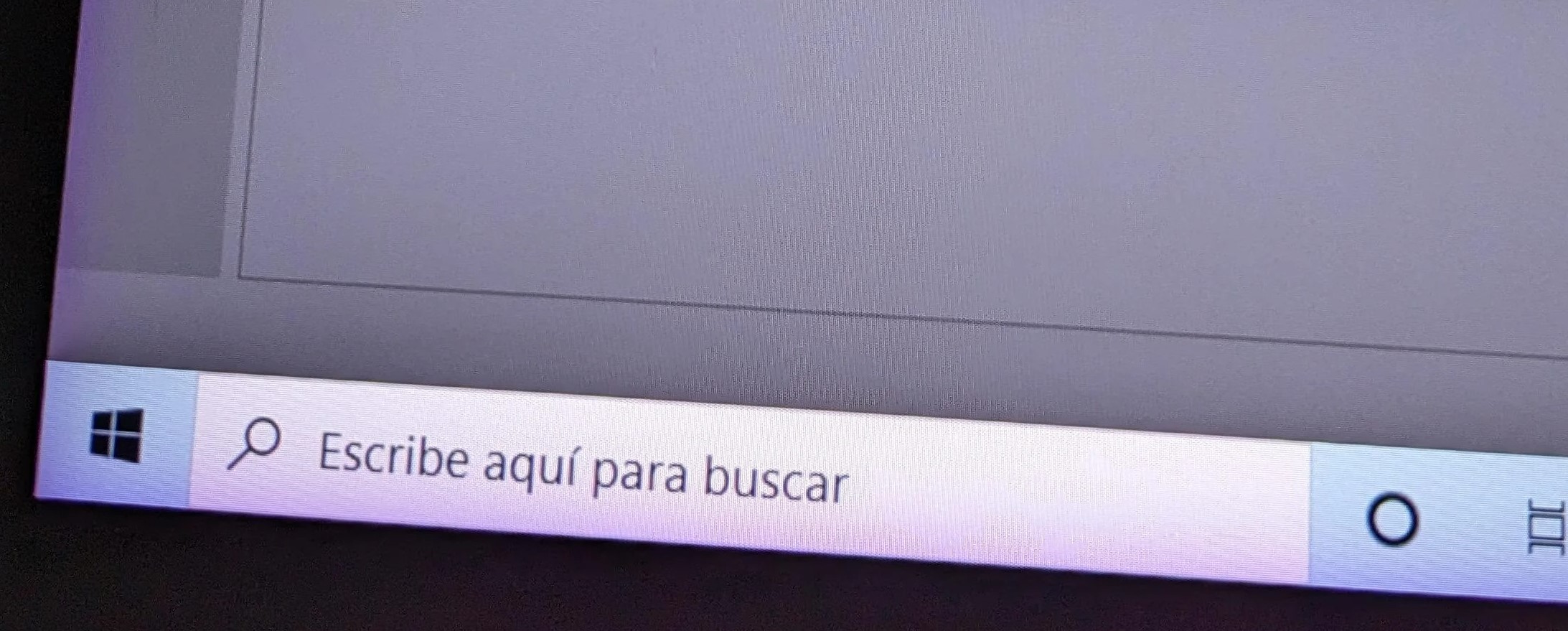
Some pen displays exhibit a color tint (purple/lilac or yellow/orange) at the edges of the display.
## Appearance
* The tint is NOT pixelated or rough. It has a very smooth look.
* It is often seen on all four edges. I can't think of any examples on only three or fewer edges.
* Can be very faint.
* You may notice it only when colors on the screen are bright.
* May appear when you first use your tablet, or develop much later. Out of 30+ pen displays, I have one display (Huion Kamvas 22 Plus) that developed a slight purple edge tint 3+ years after I bought it.
NOTE: The tint is greatly exaggerated in these diagrams.
In practice, the effect is usually VERY subtle - as you can see below.
## Examples
Notice that the purple tint is visible even on a pure white background - it slightly darkens the white region
## When it appears
This effect can be visible the first time you use your pen display, or it can show up after you've been using the pen display for a long time.
## Compared to backlight bleed
Unlike backlight bleed, the tint is often visible even on a very bright or pure white background.
## Causes
Based on what I have read, the cause is due to an issue with laminated displays (see: [Lamination](/drawtab/guides/pen-displays/lamination.md)).
My leading theory as to the specific cause is an issue with the polarizer layer in the display. When there is a polarizer failure it can appear in very different ways visually - sometimes very harsh effects and sometimes much more subtle (as in this case).
The polarizer might
* delaminate (separate from the rest of the display)
* be oriented incorrectly
* be damaged by heat
* be damaged by pressure
Laminated displays have a layer of optically clear adhesive (OCA) between the glass and the display. This might also contribute to or be the source of the problem.
## How often it occurs
Overall it is uncommon.
Of the 30+ pen displays I own, it is present in none of the laminated display devices I have.
## Manufacturer pages
* Huion:
## Links
* [**r/huion - Purple edges on my kanvas 24 plus??**](https://www.reddit.com/r/huion/comments/10i3ftd/purple_edges_on_my_kanvas_24_plus/) 2023-01-21
* [**r/huion - Bought a Kamvas Pro 16 2.5K – local retailer says it comes with purple edges like this, and isn’t faulty – is that really true?**](https://www.reddit.com/r/huion/comments/vo3o5m/bought_a_kamvas_pro_16_25k_local_retailer_says_it/) 2022-06-30
* [**r/4kTV - Sony Purple Edges**](https://www.reddit.com/r/4kTV/comments/zt6kf2/sony_purple_edges/) 2022-12-22