> For the complete documentation index, see [llms.txt](https://docs.sevenpens.com/drawtab/llms.txt). Markdown versions of documentation pages are available by appending `.md` to page URLs; this page is available as [Markdown](https://docs.sevenpens.com/drawtab/core/pressure/pressure-banding.md).

# Pressure banding

## Overview

Pressure banding features sudden dips or harsh transitions in pressure in very regular horizontal and vertical bands, especially when drawing at lower pressure.

## Prevalence

This is very rarely seen.

I have only encountered it in two tablets:

* Wacom One M (CTC-6110WL)
* Wacom One S (CTC-4110WL)

I do not recommend buying those two tablets for this reason.

## Cause

* The pen is NOT the problem
* I suspect it is a problem with the firmware in combination with the digitizer.

## Examples

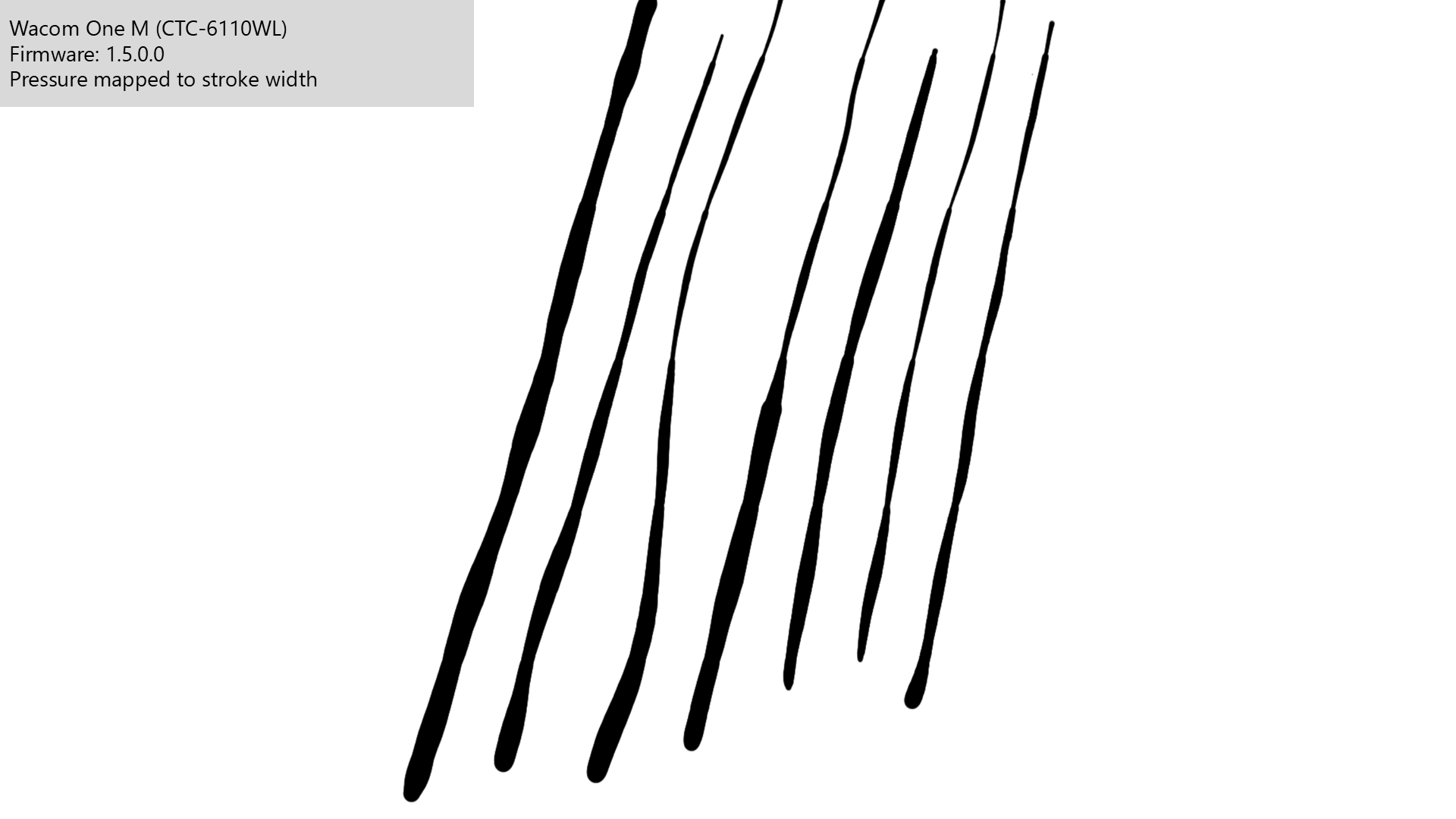
All the examples below are from the Wacom One M (CTC-6110WL) pen tablet that was released in 2023. With the original firmware (v 1.5.0.0) of the tablet, significant pressure banding occurred. Later firmware updates significantly reduced the effect, but did not eliminate it.

## Pressure to stroke width

Here are 7 strokes drawn in Krita on the CTC-6110WL.

<figure><img src="/files/F1i8oRA8Cn7y46oYxSi8" alt=""><figcaption></figcaption></figure>

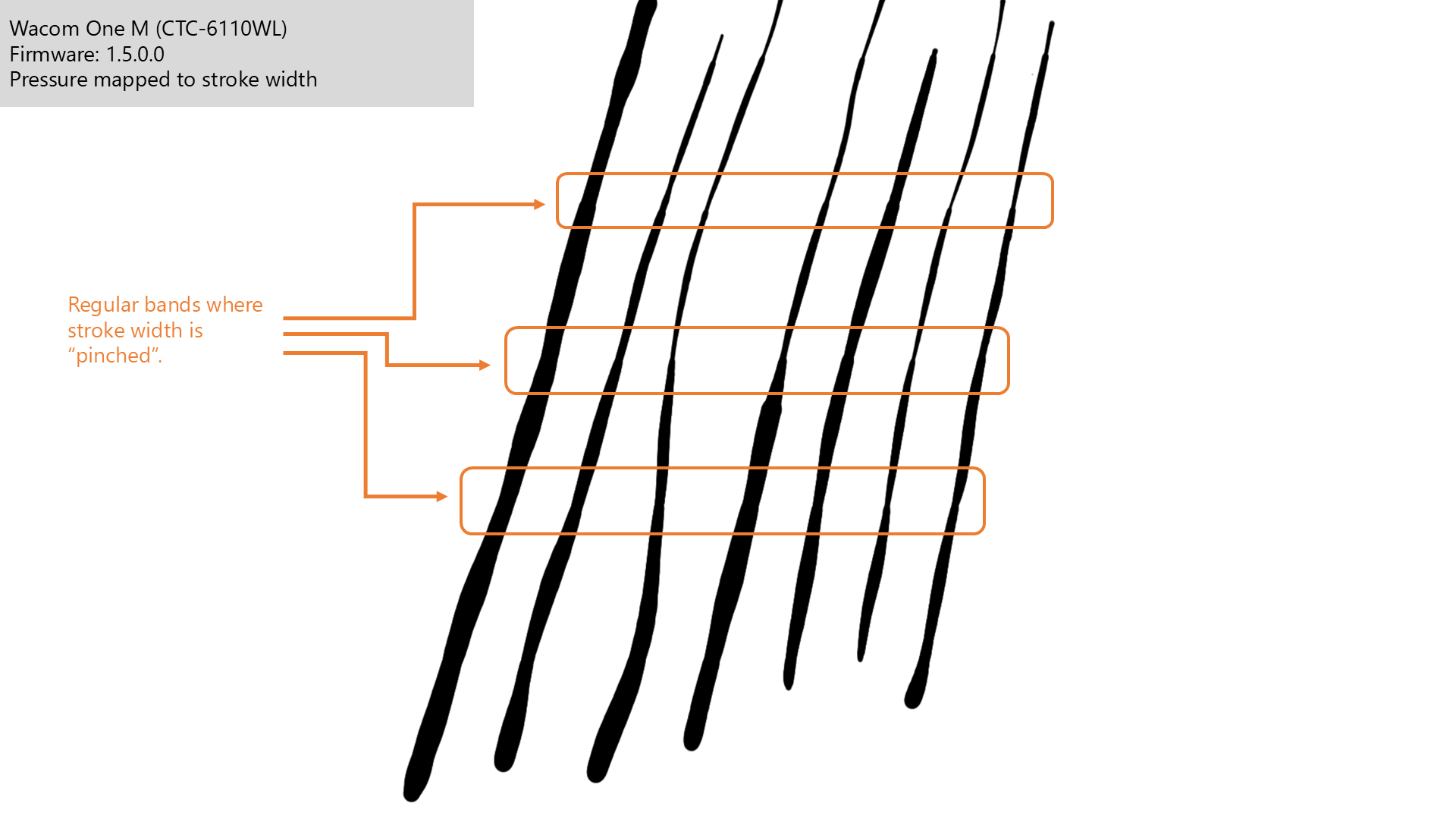
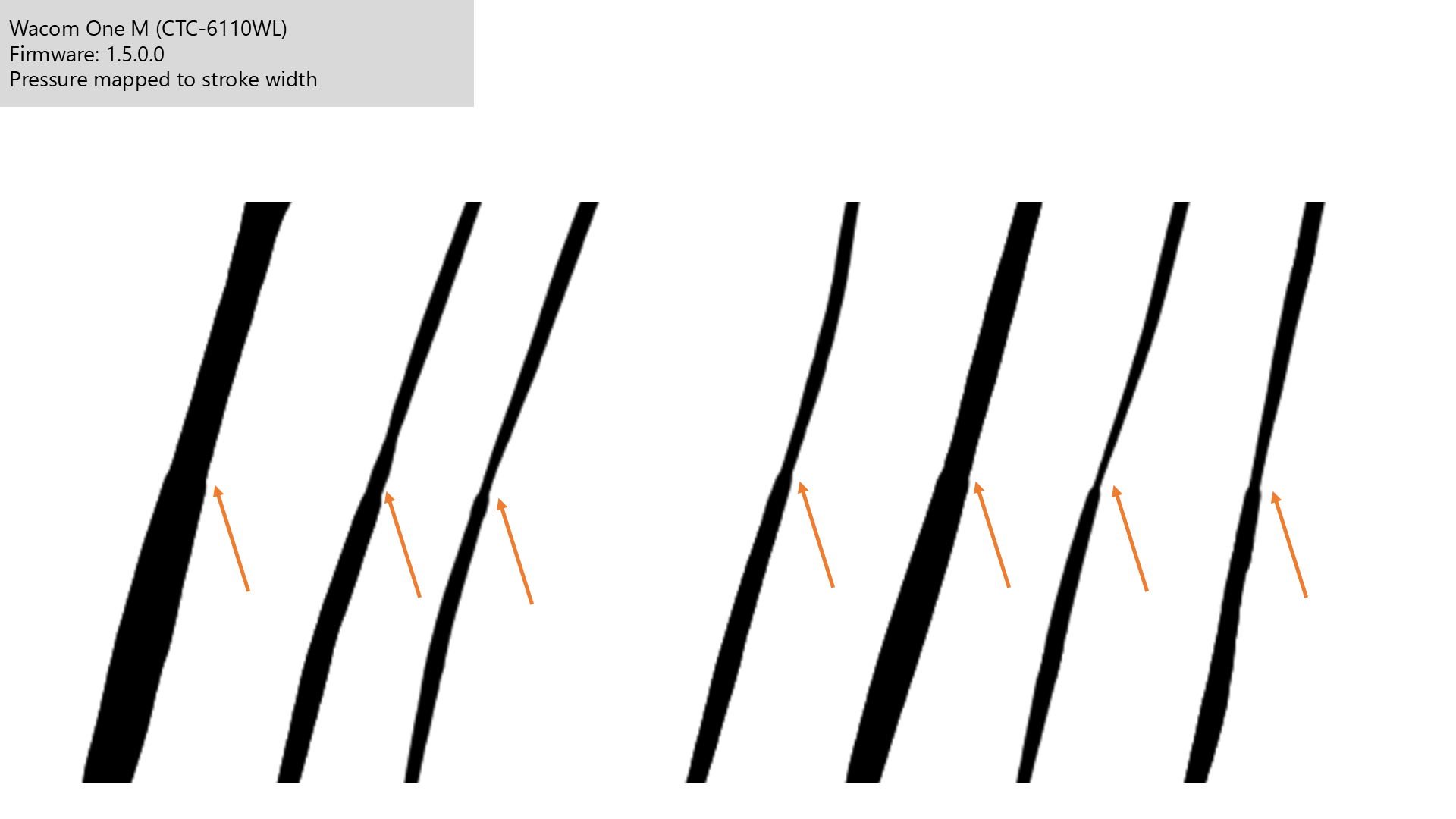
Even now, you may detect some regular pattern in the width of the strokes.

Looking carefully, you'll see that the strokes appear pinched in regular horizontal bands.

<figure><img src="/files/ONGQSNymgxS3hWgsVXZP" alt=""><figcaption></figcaption></figure>

<figure><img src="/files/y6fzc4GJiTjllBjU8DoC" alt=""><figcaption></figcaption></figure>

## Pressure to stroke opacity

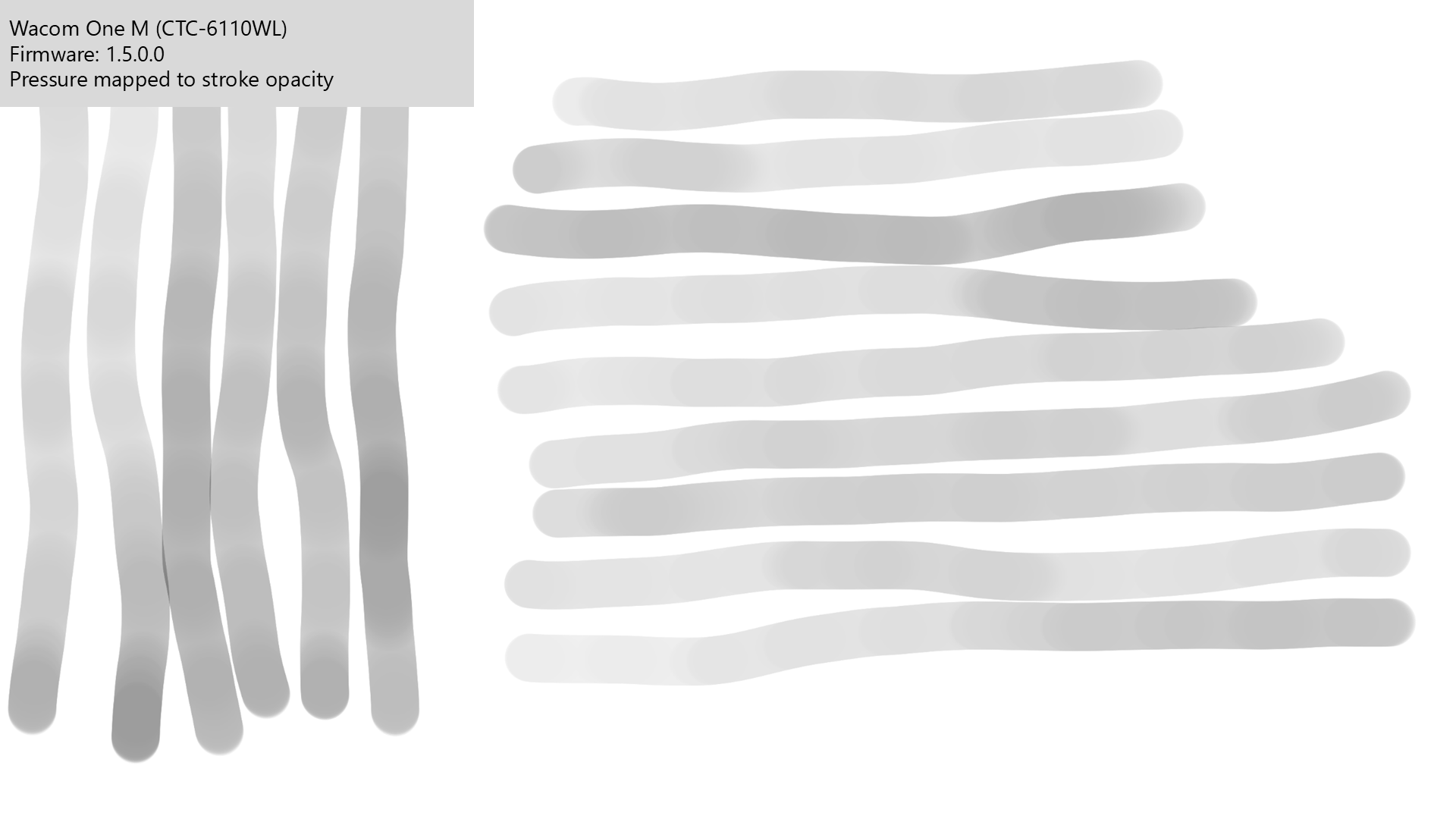
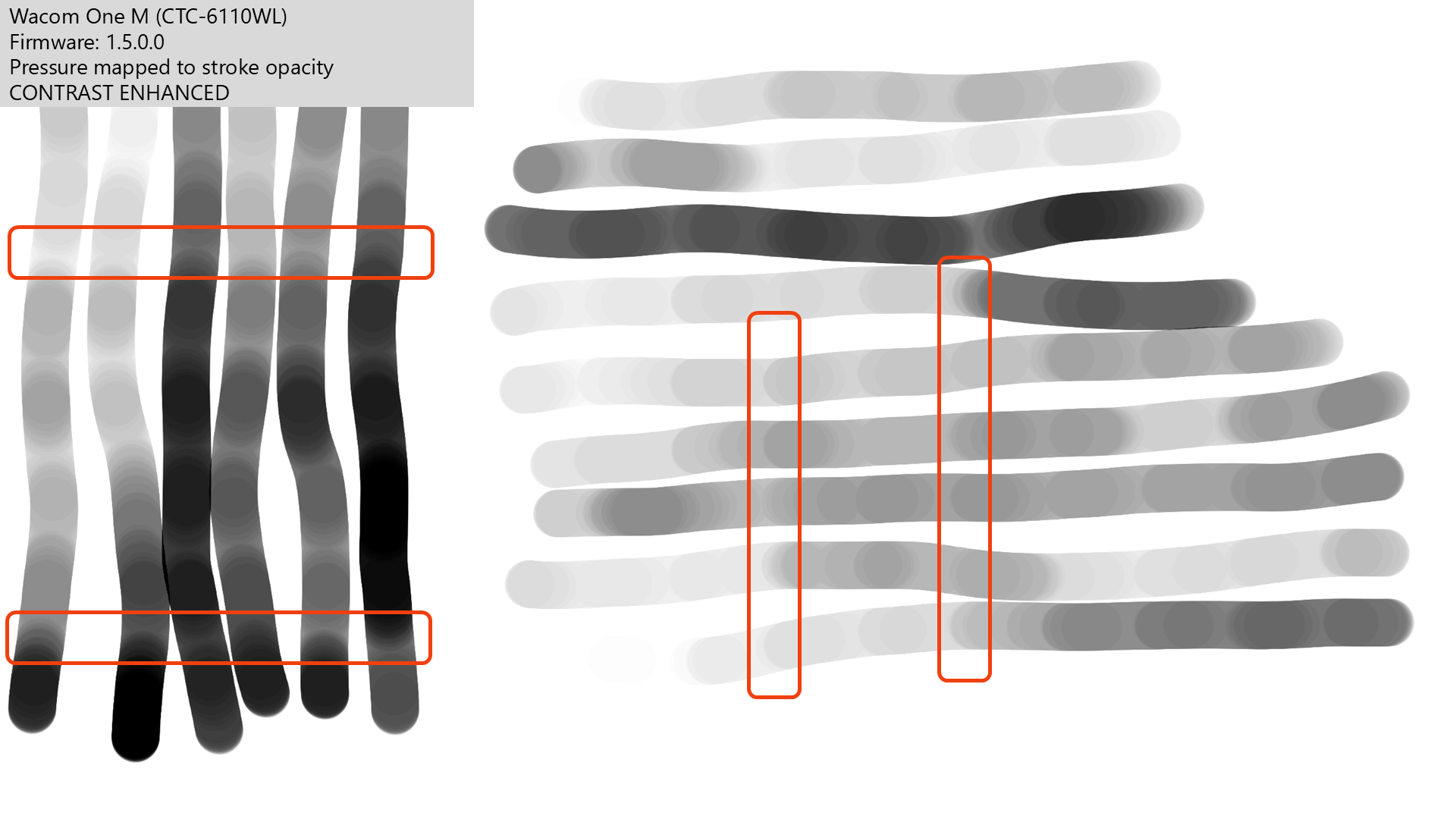
The effect is more clearly shown when pressure controls opacity and you apply a little image processing.

You might be able to make out some banding in the original image.

<figure><img src="/files/XwBdXBsM3ev30xvAcg3z" alt=""><figcaption></figcaption></figure>

Performing some contrast enhancement makes it much more obvious.

<figure><img src="/files/IyMKKI3e7zV5tHnNSSBZ" alt=""><figcaption></figcaption></figure>

<figure><img src="/files/ldRNJI830NMrvJDFqcSB" alt=""><figcaption></figcaption></figure>

## What normal strokes should look like

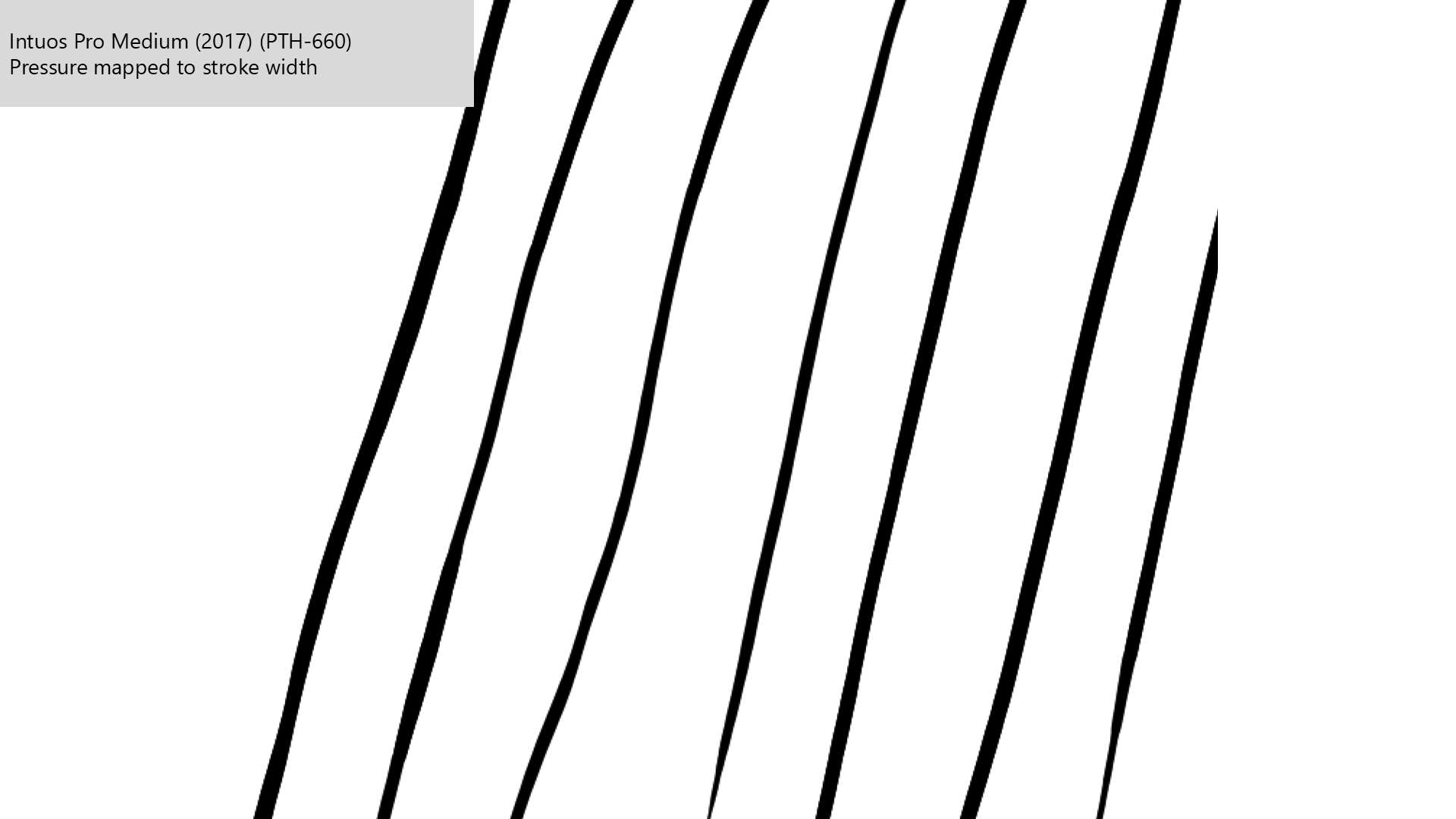
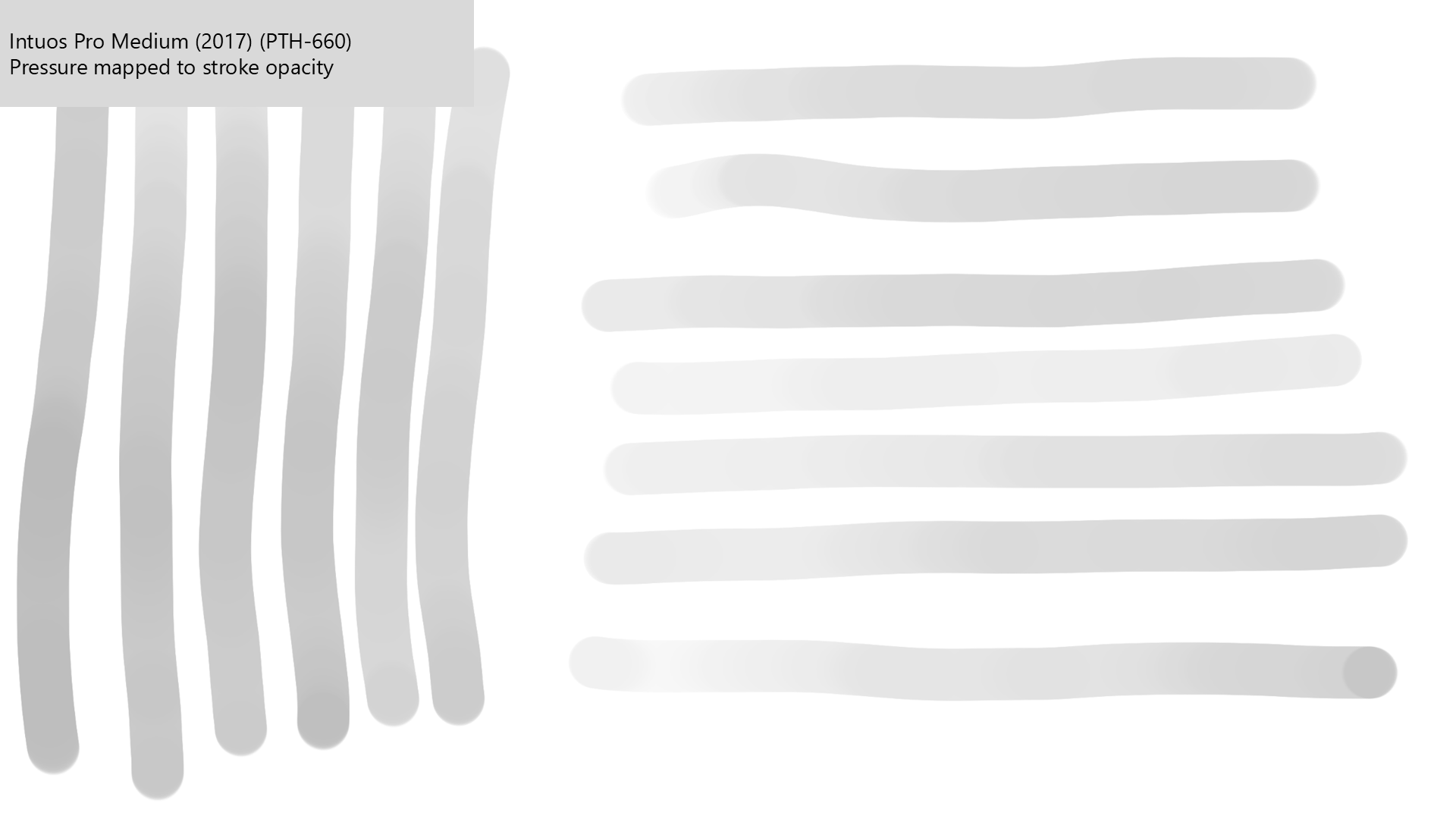
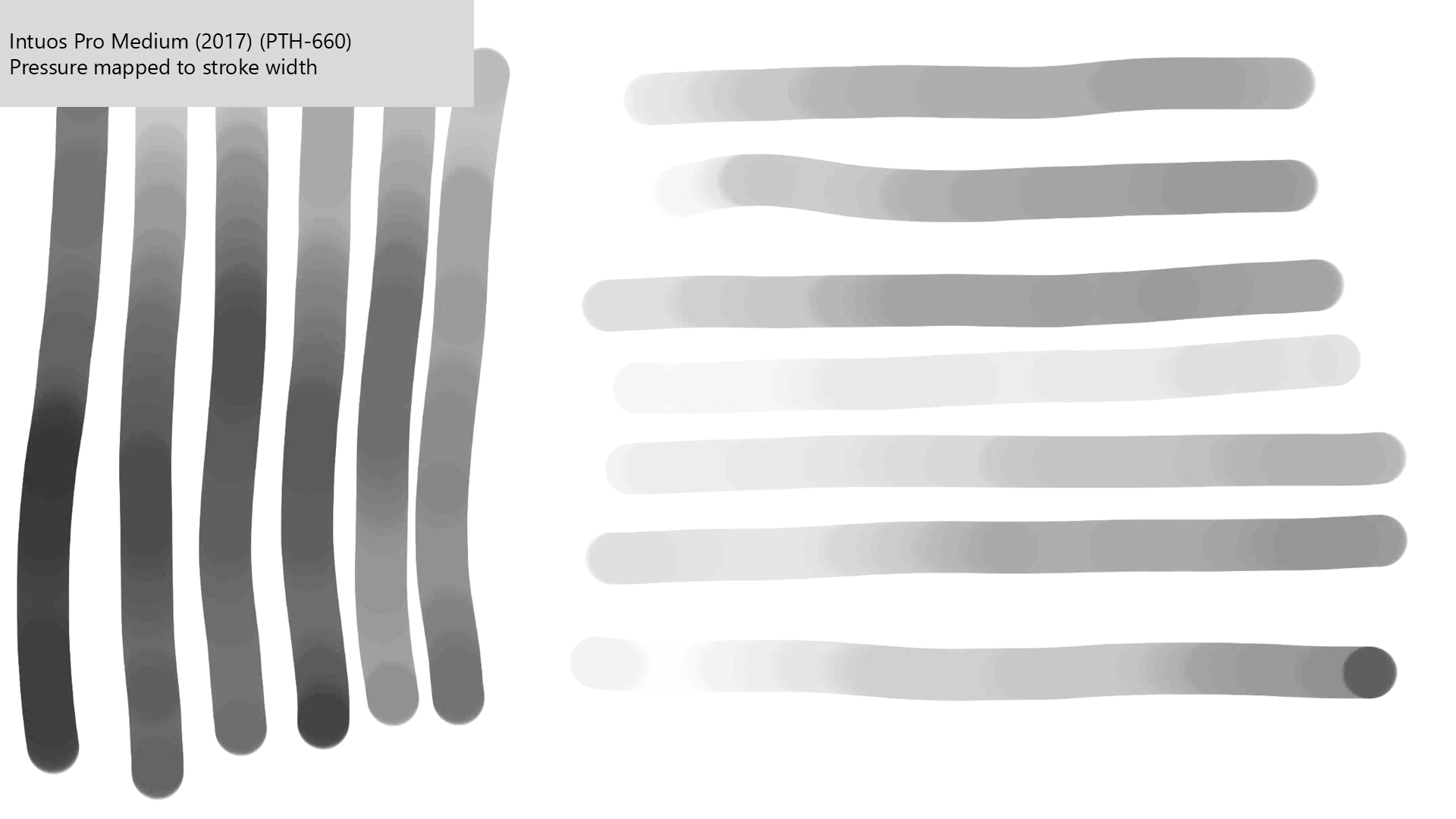
These examples were created with a Wacom Intuos Pro Medium (2017) tablet.

<figure><img src="/files/scPisNMCvyqxqtE5GVkN" alt=""><figcaption></figcaption></figure>

<figure><img src="/files/0FxgXkqkdv9T13u9E205" alt=""><figcaption></figcaption></figure>

<figure><img src="/files/QiEkRxYNv83s3lCST7Sx" alt=""><figcaption></figcaption></figure>

## Testing

Here is how I test for banding: [Measuring pressure banding](/drawtab/process/measuring/measuring-pressure-banding.md)
---

# Agent Instructions
This documentation is published with GitBook. GitBook is the documentation platform designed so that both humans and AI agents can read, navigate, and reason over technical content effectively. Learn more at gitbook.com.

## Querying This Documentation
If you need additional information that is not directly available in this page, you can query the documentation dynamically by asking a question.

Perform an HTTP GET request on the current page URL with the `ask` query parameter, and the optional `goal` query parameter:

```
GET https://docs.sevenpens.com/drawtab/core/pressure/pressure-banding.md?ask=<question>&goal=<endgoal>
```

`ask` is the immediate question: it should be specific, self-contained, and written in natural language.
`goal` is optional and describes the broader end goal you are ultimately trying to accomplish on behalf of the user. GitBook uses it to tailor the answer towards what is most useful for that goal.

The response will contain a direct answer to the question and relevant excerpts and sources from the documentation.

Use this mechanism when the answer is not explicitly present in the current page, you need clarification or additional context, or you want to retrieve related documentation sections.