> For the complete documentation index, see [llms.txt](https://docs.sevenpens.com/drawtab/llms.txt). Markdown versions of documentation pages are available by appending `.md` to page URLs; this page is available as [Markdown](https://docs.sevenpens.com/drawtab/catalog/drawtabs/huion/huion-hs611-notes.md).
# Huion Inspiroy HS611 notes
## **Summary**
This is a slightly older Huion model from 2019 but is still a decent drawing tablet.
If you get it, then it will work fine. But you should consider the newer Huion pen tablets at the same price point as the HS611.
## **Links**
* User manual:
* [Teoh on Tech review of Huion HS611](https://www.youtube.com/watch?v=1RcUCSL5azU) 2021-02-14
* [Brad Colbow review of Huion HS611](https://www.youtube.com/watch?v=IHV7LsbxqsU) 2020-03-23
* [Nemanja Sekulic review of Huion HS611](https://www.youtube.com/watch?v=WEXXbXDrd-Y) 2020-04-28
## **Active area size**
This is a MEDIUM-sized tablet, with a diagonal length about 1.5" larger than a Wacom Intuos Pro Medium.
Tablet
Dimensions
Diagonal Length
Huion Inspiroy HS611
10.17 x 6.36"
12"
Wacom Intuos Pro Medium
(PTH-660):
8.7 x 5.8”
10.57”
## Aspect ratio
This tablet has a 16:10 aspect ratio.
## **Pen**
The tablet uses the slightly older PW500 pen. For more details about the pen, see [Huion PW500 pen notes](/drawtab/catalog/pens/huion-pens/huion-pw500-notes.md).
## **Build quality & design**
The HS611 has a very simple design. No complaints, though it lacks the refined look and feel of the newer Huion tablets.
It is also available in several colors (Space Grey, Starr Blue, and Coral Red). I have the Space Grey version.
There is one cool aspect of its design. Unlike the vast majority of tablets, this one has regions with a slightly speckled pattern. This adds a bit of visual distinction.
## **Surface texture**
The drawing surface is only very slightly textured. If you are used to a modern drawing tablet, you might find this texture slightly "slippery."
In comparison:
* The texture feels much smoother than the Wacom Intuos Pro (PTH-x60 series).
* A little more texture than the surface of an iPad.
## **Auxiliary inputs > buttons**
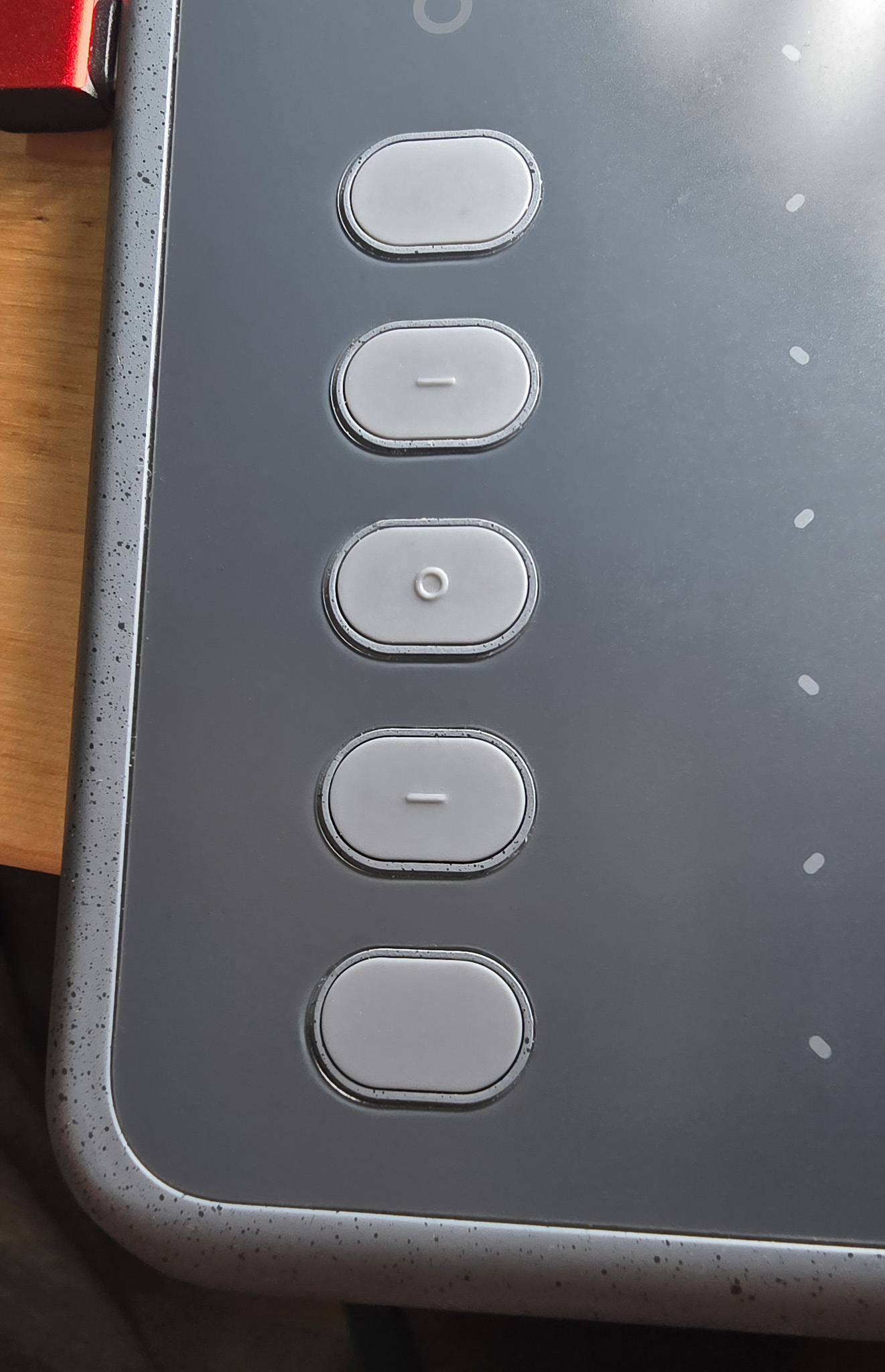
It has 10 programmable buttons on the left. 10 more than most other tablets.
The 10 buttons are in 2 groups of 5.
Each group of five has some raised symbols on the buttons to help you identify the buttons by touch alone and without looking.
## **Auxiliary inputs > touch controls**
* Touch controls - At the top there are some additional touch-sensitive keys.
* One is a slider that can be configured to adjust zoom, brush size, or vertical scrolling
* The rest control media-related features
Both the buttons and the touch-sensitive controls can be turned off in the driver.
## **Touch**
This tablet does NOT support touch
## **Cables and connections**
**Wireless -** This tablet does NOT support a wireless connection.
**Wired connection** - there is a single USB-C port
## **Tilt compensation**
OK. It exhibits a moderate amount of pointer displacement when the pen is tilted at 45 degrees. Because it is a pen tablet, this amount of displacement will not be very noticeable unless you are specifically looking for it.
## Drawing fundamentals
* Pressure handling seemed smooth when transitioning between low to high pressure
* Tilt worked as expected
* I didn't notice anything unusual at all.
## Pressure instability/wobble
Very good. Even when drawing at a very low amount of pressure with a very large brush (1000px) in Krita, the pressure did not exhibit any wild swings or wobble.
## **Diagonal wobble**
It exhibits some diagonal wobble. The wobble is most noticeable at slower speeds. In practice, I did not notice this much while drawing. Adding a little brush smoothing controlled it.